
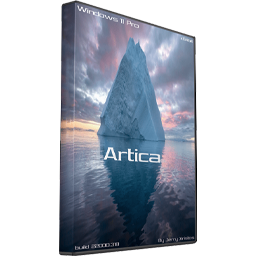
Free Download Windows 11 Pro 21H2 Artica Lite ISO. On top of that, This is the latest version of Windows OS releases.
Overview of Windows 11 Pro Artica Lite
This is the latest version of Windows OS releases, with a new interface and features like the new Microsoft Store, a new personalized feed powered by AI, and best-in-class browser performance from Microsoft Edge, Chat from Microsoft Teams integrated into the taskbar, and many others more.
It provides a straightforward environment that makes it possible for the users to perform all the tasks with minimum effort. Also, It's a very lightweight operating system with only the necessary components that are important to run the operating system.
Features of Windows 11 Pro Artica Lite
- Very powerful and a lightweight operating system
- A reliable operating system for power users
- Delivers maximum performance and ultimate speed
- Provides a sleeker user interface
- Removed any unnecessary Windows components
- Windows Cortana, Defender, Edge, Music Player, and more
- Install UEFI and DirectX support
- Many other powerful options and features
Removed Components:
- All bloatware apps except Windows store and Xbox
- Access Control List
- AssignedAccessLockApp
- ActiveX Installer Service
- Agent Activation Runtime
- AllJoyn Router Service
- Application Virtualization (App-V)
- Assigned Access
- ActiveX Compatibility Flags (Killbits)
- Camera Barcode Scanner
- Cache and temp files
- CEIP
- IME
- Ease Of Access Themes
- Easy Transfer
- Face Recognition
- Fax
- Floppy disk
- Infrared devices
- Internet Explorer
- iSCSI Initiator
- Map Control
- Microsoft Edge
- MultiPoint Connector
- Natural Authentication
- NDIS Packet Capturing
- On-Screen Keyboard
- OneDrive
- Phone Service
- Point of Service (POS)
- Retail Demo Content
- Security Center
- Skype ORTC
- Speech TTS
- Speech API
- Spell Checking
- Speech Recognition
- Steps Recorder
- Storage Spaces
- Sound recorder
- System Reset for Windows
- Tablet PC
- Telephony
- TV Tuner codecs and support
- Windows Biometric Service
- Windows Recovery
- WinPE
- Windows Disc Image Burning Tool
- Windows Mixed Reality
- Windows Reader (PDF)
- Windows System Assessment Tool (WinSAT)
- Work Folders Client
- Windows Defender
- Windows Web Experience Pack
Extras:
- Theme added
- Dark mode for apps enabled
- Dark mode for windows enabled
- Autoplay is disabled
- Ballon notifications are disabled
- CD burning features are disabled
- People in the taskbar is disabled
- Fast start-up is enabled
- Experimentation is disabled
- Location services are disabled
- Cortana (all) is disabled
- Feedback frequency is disabled
- Photo viewer is restored
- UAC disabled
- Let apps use other devices open apps and continue experiences is disabled
- Let apps use user advertising ID is disabled
- Let Microsoft provide more tailored experiences if disabled
- Let Windows collect my activities for this pc is disabled
- Let Windows track app launched to improve start and search results
- Send Microsoft info about how I write to help us improve typing is disabled
- Shared experiences is disabled
- Bing web results are disabled
- Shell bags is disabled
- Get tips and suggestions as you use windows is disabled
- Allow apps access (all) is disabled
- Automatic installation of the sponsored app is disabled
- Automatically connecting to hotspots is disabled
- Let apps use other devices open apps and continue experiences is disabled
- Get tips and suggestions as you use windows is disabled
- Meet now taskbar widget is disabled
- News and interests are disabled
- Quiet hours is disabled
- Windows collect my activities from this pc (timeline) is disabled
- Telemetry is disabled
- More tweaks have been applied for better performance
Programs added:
- PowerISO 8.1 (portable at desktop)
- Glary Utilities (portable at desktop)
- Office 2021 ProPlus (installer at desktop/run the bat file)
Technical Details and System Requirements
- Processor: 1 GHz or faster with two or more cores on a compatible 64-bit processor
- RAM: 4 gigabytes or more
- Storage: 64 GB or larger storage device (such as a hard drive or SSD)
- System Firmware: UEFI and Secure Boot capable
- Graphics Card: Compatible with DirectX 12 or later with WDDM 2.0 driver
- Display: An HD display at least 720p (1280×720) resolution larger than 9″ diagonal, 8-bits per color channel